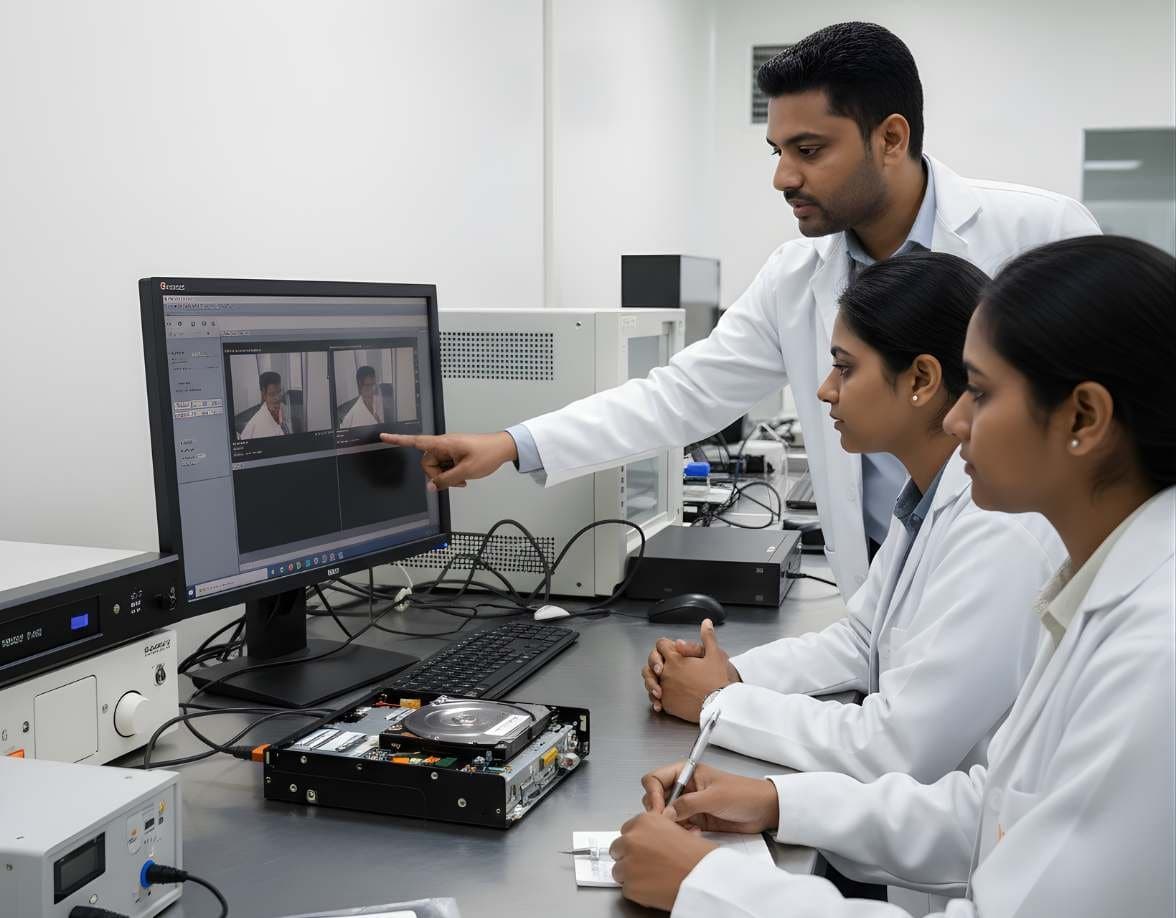
 VideoSurveillance & Image / Video ForensicsCCTV / DVR AnalysisExport footage from Hikvision, Dahua and other DVRs with correct times, frames and hashes
CCTV and DVR Forensics
CCTV and DVR forensics is the retrieval and examination of recordings from surveillance recorders, where the first job is to get the original footage out before the system writes over it.
Multimedia and surveillance8 evidence types8 tools4 coursesReviewed 2 November 2026
What it is and why it matters
A digital video recorder is a small Linux computer with one or more hard disks, a set of camera inputs and a clock that nobody checks. It writes compressed video from every camera into its own storage layout, not a file system Windows can read, and when the disks fill up it writes over the oldest footage. Depending on disk size, the number of cameras, resolution and frame rate, that cycle can be a few days or a few months. The footage of an incident has an expiry date from the moment it is recorded.
The examiner's work begins with retrieval. Every recorder offers some export route, usually to a USB stick, and the choice made at that menu decides what survives. A native export keeps the original frames, the recorder's own timestamps and often a copy of the player needed to view them. A converted export to AVI or MP4 is easier to play but may drop frames, change the frame rate, shrink the picture and burn the date into the image so that it can no longer be separated from the video. Where the export route is unreliable or the recorder has failed, the disks are imaged through a write-blocker and the footage is recovered from the proprietary layout.
Once the footage is secure the questions start. What time was it really, given that the recorder's clock may be hours out? How many frames per second did this camera actually record, so that movement and speed can be judged correctly? Which camera covers the doorway and what does its field of view miss? Answering those questions well is what separates CCTV forensics from copying a file.
Types of digital evidence
- Native Recordings
The video streams as the recorder stored them, usually H.264 or H.265 in a proprietary container, with per-frame timestamps and the recorder's own index of what was recorded on which channel and when.
- System Logs
Records of logins, configuration changes, time changes, disk errors, power loss and restarts. A log entry showing the clock being reset or a channel being disabled can matter as much as the footage.
- Time Configuration
The recorder's time zone, daylight saving setting, NTP status and the offset between the displayed time and real time, which the examiner must measure on site.
- Channel and Camera Settings
Resolution, frame rate, bit rate, motion detection and recording schedule for each camera. These explain gaps in recording and set the limits of what the footage can show.
- Exported Clips and Players
Files the recorder produced on request, with any export log, the bundled player and the hash or watermark some recorders add to exports.
- Disk Images
Full images of the recorder's hard disks, from which footage can be recovered after overwriting has begun, after a failed export or from a recorder that no longer boots.
- Overwritten and Deleted Fragments
Partial recordings in areas the recorder has started to reuse. Fragments can still show a frame or two of an event, as long as the report says how they were found and what is missing.
- Network and Remote Access Records
For network video recorders and cloud-connected cameras, the addresses of cameras, remote viewing sessions and the mobile app accounts that could view or delete footage.
Devices and data sources
- Standalone DVRs with analogue or analogue HD cameras in shops, offices and homes
- Network video recorders with IP cameras in larger premises
- Hybrid recorders that mix analogue and IP channels
- Consumer cloud cameras and video doorbells, where the footage sits with the provider and the app, not on a local disk
- Dash cameras and in-vehicle recorders writing to microSD cards
- Body-worn cameras used by security staff and police
- ATM, point-of-sale and lift cameras with their own recorders
- Mobile phone recordings of a monitor, when that is all that was kept
- Hard disks removed from a recorder and handed over loose
How an examination runs
The order matters. Each step protects the one after it.
- 01Authority and Urgency
Confirm who owns the system and the basis on which footage is being taken. Find out the retention period straight away, because the recorder keeps overwriting while paperwork is being arranged.
- 02Document the System on Site
Photograph the recorder with its model and serial, the cameras and their positions and the screen showing the recorder's clock next to a reference clock. Write down the offset in minutes and seconds, with the direction.
- 03Record the Configuration
Note each channel's name, resolution, frame rate, recording mode and schedule. Record whether motion detection is on and export or photograph the system log if the recorder allows it.
- 04Export in Native Format First
Use the recorder's own export for the channels and time range needed, in native format with the player if offered. Make a converted copy only as a working copy after the native export is secured.
- 05Image the Disks Where Justified
If the export fails, the time range is already partly overwritten or the recorder is dead, remove the disks under authority, image each through a write-blocker and recover the footage from the image with software that understands the recorder's layout.
- 06Verify and Hash
Hash every exported file and image on site. Confirm that the exports play in the bundled player and cover the requested range, then record every failed or partial export.
- 07Examine and Report
Review the footage on a workstation, correct the time using the measured offset, state the true recording frame rate for each clip and report what the cameras could and could not see.
Tools used in this discipline
Independent profiles: what each tool does, where it stops and what you need to know before using it.
- Multimedia and videoCurrentAmped FIVEAmped Software
Amped FIVE is a workstation for CCTV and image evidence. It opens proprietary DVR files, applies documented filters to make what is there easier to see and writes a report of every step. Clarifying a picture is a different job from proving it is genuine.
- Multimedia and videoCurrentFFmpegFFmpeg project
FFmpeg is the engine behind most media software. For an examiner its three commands inspect a file's streams, extract frames without guessing and convert footage for viewing with every setting on record.
- Multimedia and videoCurrentMediaInfoMediaArea
MediaInfo reads a media file's structure and reports it: container, video and audio codecs, bit rates, frame rate, duration, encoding settings and tags. It tells an examiner what a file is before any player opens it.
- Multimedia and videoCurrentExifToolPhil Harvey
ExifTool reads the metadata inside a file and prints it in full: camera, lens, timestamps, GPS, editing software, maker notes and embedded thumbnails. It is the first stop when a photo or video has to explain where it came from.
- Storage and hardwareCurrentHardware Write BlockersVarious manufacturers
A hardware write blocker sits between an evidence drive and the examiner's computer and refuses every write command. It is the first device a new examiner should understand.
- Storage and hardwareCurrentForensic DuplicatorsVarious manufacturers
A forensic duplicator is a standalone imaging device. It copies a source drive to a destination drive or image file, hashes the result and verifies it, without a computer in between.
- Computer forensicsCurrentX-Ways ForensicsX-Ways Software Technology AG
X-Ways Forensics is the German examination tool that runs light, starts fast and gives the examiner the raw disk alongside the parsed view. Version 21.9 was current when this page was checked.
- Computer forensicsCurrentAutopsySleuth Kit Labs
Autopsy is a free, open source examination platform that puts a graphical interface and ingest modules on top of The Sleuth Kit. For a student it is the first tool that shows a whole case from image to report at no cost.
Terminology
- Native Format
- The file structure the recorder itself writes, often with a vendor extension such as .dav or .h264 and a header only the maker's player understands. It holds the original frames and timestamps.
- Proprietary Player
- The viewer program bundled with the recorder or its export. It is frequently old, Windows-only and the only thing that shows the timestamps correctly.
- Circular Overwrite
- The recorder's practice of writing over the oldest footage when the disk is full. It is the reason retrieval cannot wait.
- Time Offset
- The difference between the recorder's clock and real time, measured on site against a trusted reference. Every time quoted from the footage is corrected by this amount.
- Recording Frame Rate
- How many frames per second a channel actually stored, often far below the 25 frames per second of broadcast video. Playback at the wrong rate makes people appear to move faster or slower than they did.
- Motion-Triggered Recording
- A mode in which the recorder stores frames only when the camera sees movement. Gaps between clips are normal in this mode and are not evidence of deletion.
- Burnt-In Timestamp
- A date and time overlay drawn into the picture at export. Once burnt in, it cannot be removed or checked against the stream's own timing.
- Transcoding
- Re-encoding video into another codec or container. It is sometimes unavoidable for playback, but it changes the frames and must be recorded as a processing step.
- Analogue HD
- Camera systems such as HD-TVI, HD-CVI and AHD that carry high-resolution video over coaxial cable to a DVR. They look like old analogue installations but record at 1080p or more.
- Channel
- One camera input on the recorder. Channel numbers and on-screen names do not always match the physical camera positions, so the mapping is documented on site.
Challenges and limits
What makes it hard
- Every manufacturer uses its own storage layout and export format, and the player for an older recorder may not run on a current computer
- Recorder clocks drift, are set by hand and ignore daylight saving changes, so an uncorrected timestamp can be wrong by hours
- Low recording frame rates and heavy compression limit what a frame can show, and no enhancement adds detail the camera never captured
- Retention is short on busy systems, and the footage can be gone before a request is approved
- Staff on site often export the wrong range, a converted copy or a phone recording of the screen, and the native footage is then lost
- Recovering footage from a disk image needs software that understands the recorder's layout, and some layouts are not supported by any tool
- Cloud cameras keep footage with the provider under their own retention and disclosure rules, which need a separate legal request
Keeping the evidence intact
- Photograph the recorder's clock against a reference time before touching any setting and record the offset in the notes
- Prefer native export over any converted format and keep the converted copy clearly marked as a working copy
- Hash exports and disk images on site and keep the recorder's own export log where one exists
- Never let the recorder rebuild, format or initialise a disk, and use a write-blocker whenever a disk leaves the recorder
- Keep a record of every login made to the recorder, by whom and for what purpose, because that login appears in the system log
Standards and legal considerations
- SWGDE Best Practices for Data Acquisition from Digital Video Recorders
Together with SWGDE's Technical Overview of Digital Video Files, this sets out how to get footage out of a recorder without changing it and what the resulting files contain.
Read the guide - ISO/IEC 27037:2012
The international guideline for identifying, collecting, acquiring and preserving digital evidence. A recorder and its disks are handled under the same rules as any other device.
Read the guide - Recovery and Acquisition of Video Evidence
UK guidance published by the Defence Science and Technology Laboratory for police forces on extracting original video and audio from CCTV systems. It is practical and freely available.
- Bharatiya Sakshya Adhiniyam, 2023
India's evidence law. CCTV footage is an electronic record, and its admissibility depends on the certificate its Section 63 requires, so the retrieval record must support what the certificate states.
Read the guide
In practice
- A Shop Theft With Four Days Left
A shopkeeper reports a theft that happened nine days ago. The recorder holds about thirteen days. The examiner retrieves the native footage for the relevant channels the same day, photographs the recorder's clock 47 minutes ahead of real time and corrects every timestamp in the report by that amount.
- A Converted Export That Lost Frames
A security company sends an AVI file of a car park incident. Analysis shows it plays at 25 frames per second but the recorder's configuration records that channel at 6 frames per second, and the file has a burnt-in time. The examiner obtains the native export, which shows the true frame interval, and uses that to describe how fast a vehicle was moving.
- A Recorder That Would Not Boot
A recorder is recovered from a burgled office with its power supply damaged. Rather than repair it, the examiner removes the two disks, images them through a write-blocker, recovers the recorder's index and footage from the images and reports the channels and time ranges that were recoverable.
This page is educational material, not legal advice. Laws and standards change, commence on different dates and are interpreted differently across jurisdictions. Always read the official text linked on this page and take advice from a qualified professional for a real matter.
Learn it at DFRTI
Free pages explain. These courses teach it on real devices with a mentor.
VideoSurveillance & Image / Video ForensicsCCTV / DVR AnalysisExport footage from Hikvision, Dahua and other DVRs with correct times, frames and hashes VideoSurveillance & Image / Video ForensicsImage & Video MetadataRead EXIF, XMP, GPS tags and MP4 atoms with ExifTool and know what each field can prove
 LegalFoundation & Legal CoursesForensic Report WritingWrite clear forensic reports that answer the questions asked and survive cross-examination.
 LegalFoundation & Legal CoursesLegal & Court ProceduresIndian law on electronic evidence: BSA Section 63, BNSS search and seizure and the IT Act.
Standards for this area
- BNSS 2023The criminal procedure code in force since 1 July 2024. It is the first Indian procedure law written with phones, devices and video in mind, and it decides how digital evidence is lawfully obtained before any examiner sees it.Act
- SWGDE Best PracticesSWGDE publishes the free, practical documents that most digital forensic procedures are quietly built on. This page explains how the library is organised, which documents matter for each kind of work and how they relate to the OSAC Registry.Best practice
Careers that use it
Questions people ask
Can deleted or overwritten CCTV footage be recovered?
Partly, sometimes. If the recorder has reused only some of the space, fragments of the footage can be recovered from a disk image. Once the space is fully rewritten, the footage is gone. The sooner the disks are imaged, the better the chance.
Why does the exported file not play on my computer?
Because most recorders export in their own format. The export usually includes a player, or the maker provides one. Converting the file for convenience is fine for viewing, but the native file is the evidence.
Can the number plate be enhanced?
Only if the camera captured enough detail. Enhancement can correct brightness, contrast, perspective and some blur, and averaging several frames of a stationary plate can help. It cannot create characters from a smear of pixels, and anything produced that way would not be reliable.
Is a phone recording of the monitor acceptable?
It is better than nothing and should be kept, but it is a copy of a copy, with the phone's frame rate, reflections and a skewed picture. The native footage should still be retrieved if the recorder still holds it.
Further reading
More in Multimedia and surveillance
Go deeper with DFRTI
Free pages explain the ground. Structured courses, lab work and a mentor take you from knowing about it to doing it on a case.